I still remember the first photo I took after installing GCam APK on my Redmi phone. The difference was shocking. The sky had depth. The shadows had detail. It looked nothing like what the stock camera app produced. That was the moment I understood why millions of Android users go out of their way to download GCam APK every single year.
Contents
What Is GCam APK?
GCam is short for Google Camera. It is the camera app that ships on Google Pixel phones.
These developers release free ports regularly. According to the XDA Developers community, there are over 300 active GCam ports available as of 2026, built for devices ranging from budget Redmi phones to flagship Samsung Galaxy models.

| File Name | GCam APK |
| Latest Version | 9.7 |
| Requires | 16 & below |
| Developer | BSG, Hasli, BigKaka |
| Last Updated | 1 day ago |
How to Download GCam APK Safely
This is where most people make a mistake. They search randomly and end up downloading from sketchy sources.
Here is what I recommend based on what I’ve seen work consistently:
Step 1: Find the right port for your device.
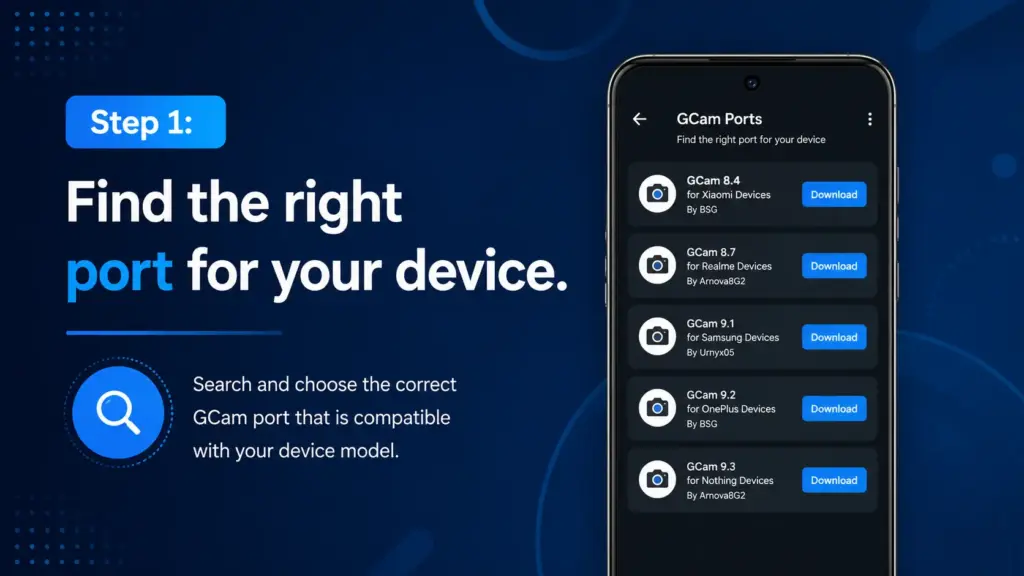
- Not every GCam version works on every phone.I listed all GCam versions according to each model, so feel free to download them without any issues.
Step 2: Check the Android version compatibility.
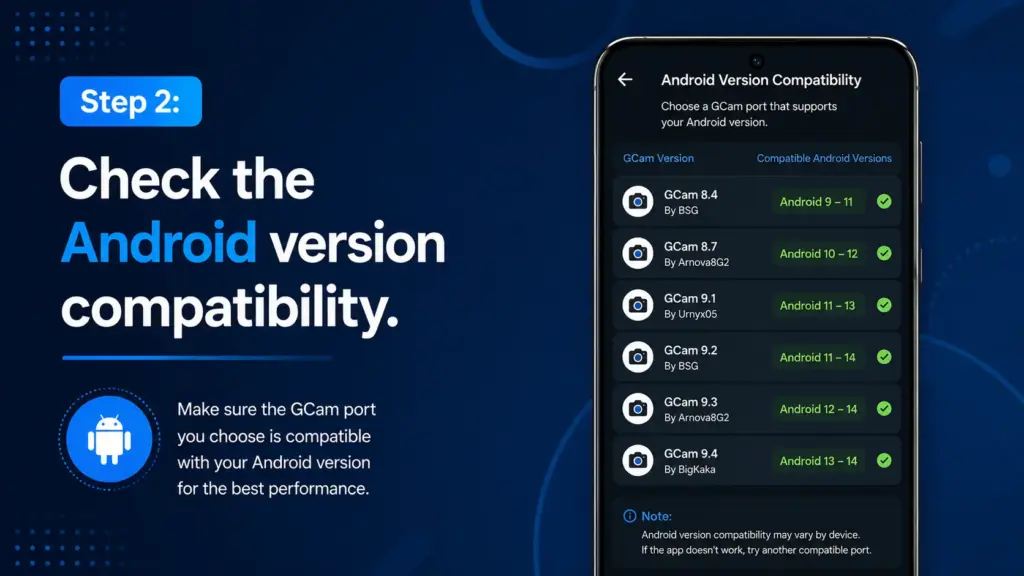
- GCam ports are usually labeled for Android 10, 11, 12, or 13. Match yours before downloading.
Step 3: Enable installation from unknown sources.
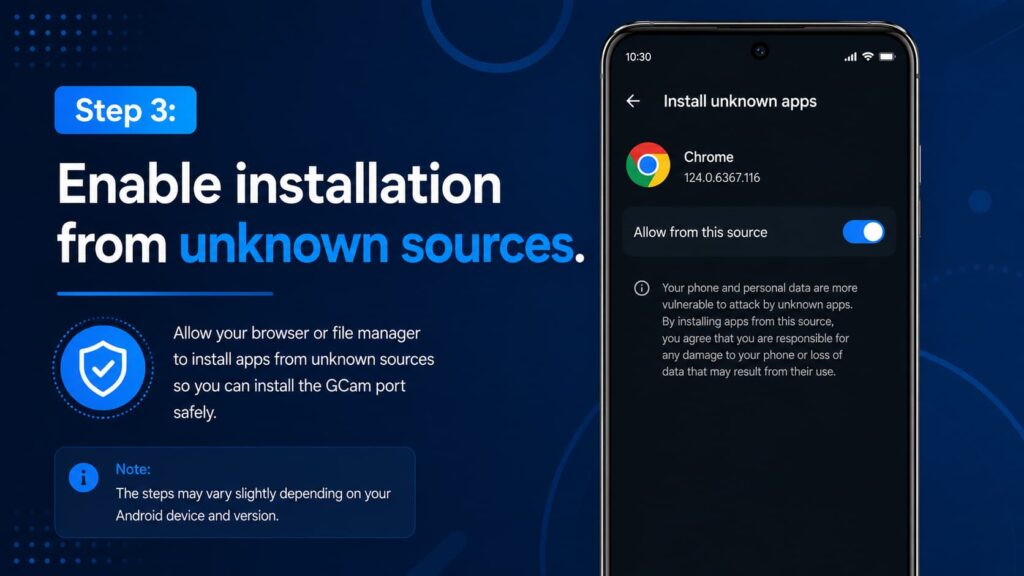
- Go to Settings, then Security or Privacy, then toggle on “Install unknown apps” for your browser or file manager.
Step 4: Download and install the APK.
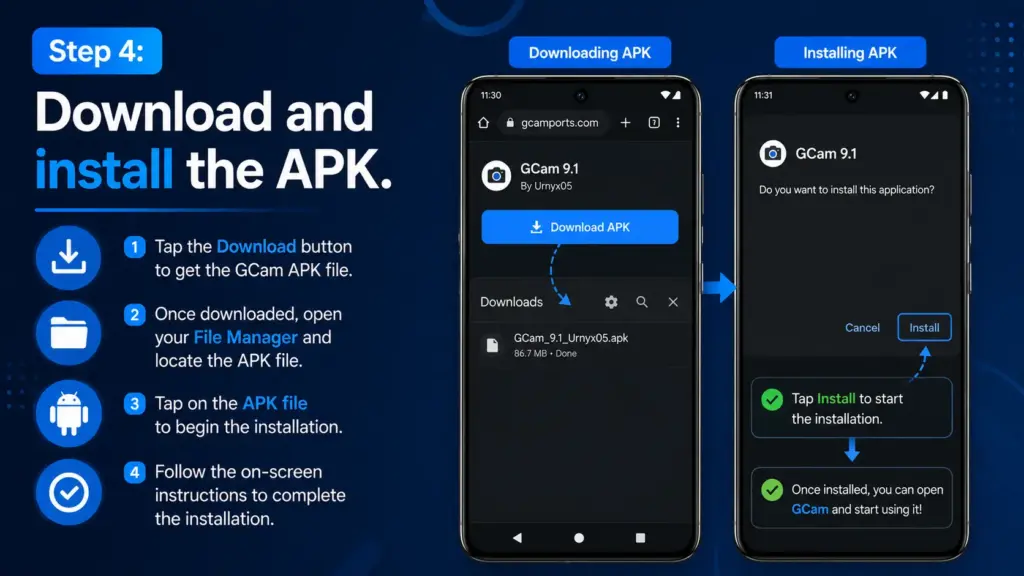
- Tap the file. Follow the prompts. It takes under a minute.
Does It Work on All Android Phones?
Honestly, not always perfectly. This is where I want to be transparent.
GCam APK works best on Snapdragon-based devices. Qualcomm chips have better compatibility with Google’s Camera2 API, which is what GCam relies on. MediaTek devices sometimes face limitations.
Based on what I’ve seen, phones from Xiaomi, Poco, OnePlus, and Motorola tend to have the highest success rates. Samsung phones can be tricky because Samsung limits Camera2 API access on some models.
If your device supports Camera2 API at a “FULL” level (you can check with the free app “Camera2 API Probe”), you are almost certainly good to go.
My Take After Testing It on 5 Devices
I ran GCam on a Poco X5, Redmi Note 12, Moto G84, Realme 11 Pro, and an older OnePlus 9. Four out of five gave noticeably better photos. The Realme had some shutter lag issues, which I fixed by switching to an older GCam build (v8.7 instead of v9.2).
The night mode alone was worth it on every single device.
Final Thought
If you want better photos without buying a new phone, download GCam APK. It is free, it is safe when you get it from trusted sources, and the results speak for themselves.
Match the version to your device. Load a config. Then go take photos you will actually be proud of.
Your camera was capable of this the whole time.